Creating Ammo
To create an Ammo item, we need to do work in Blockbench, and some json work.
First, in Blockbench, you model whatever you want:
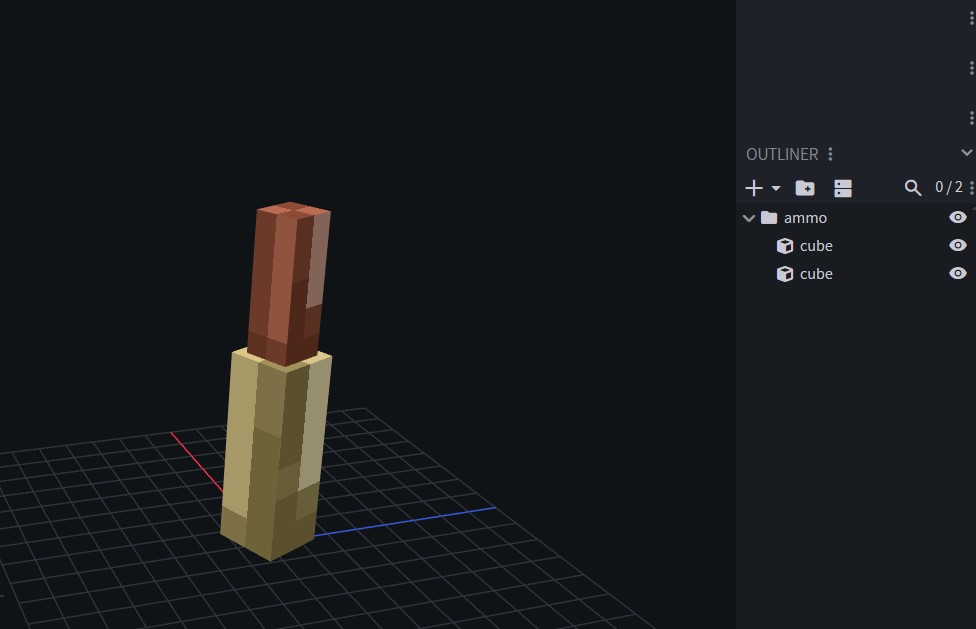
Afterward, you export its .geo file, and place it in assets/pointblank/geo/item.
You place its display data file in assets/pointblank/models/item. Unlike a gun json, you don’t need to peek inside and make any changes. Leave the file as is.
And its texture png in assets/pointblank/textures/item.
Next, in assets/pointblank/items create a new json file, like you would for a gun. Open it and insert this code:
{
  "name" : "ammoitemname",
  "type": "Ammo"
}
And you’re done. The only special behavior here is type Ammo to define the item as an ammo.
Afterward, you go to the gun json and put the ammo name inside compatibleAmmo.
Example gun json with complete ammo defined:
{
  "name" : "doom_handgun",
  "type": "Gun",
  "maxAmmoCapacity" : 12,
  "compatibleAmmo" : [
    "ammocreative",
    "doom_50calpistol"
  ],
  "damage" : 10.0,
  "rpm" : 500,
  "fireModes" : ["SINGLE"],
  "fireSound" : "doom_handgun",
  "drawCooldownDuration" : 550,
  "aimingZoom" : 0.3,
  "gunRecoilInitialAmplitude" : 0.8,
  "shakeRecoilAmplitude" : 0.35,
  "shakeRecoilSpeed" : 2,
  "viewRecoilAmplitude" : 2,
  "inspectCooldownDuration": 3700,
  "glowingParts": [
  ],
  "features": [
  ],
  "phasedReloads": [
  ],
  "effects": [
  ],
  "fireAnimations": [
  ],
  "inspectAnimations": [
  ],
  "idleAnimations": [
  ],
  "drawAnimations": [
  ]
}
Last updated on